Meals
No more 17:00 “what are we eating?”
A month of dinners that plans itself from your own rules, the dishes your family actually eats, and a heads-up in time: the evening before for the freezer, in the morning for what to buy fresh.
The month
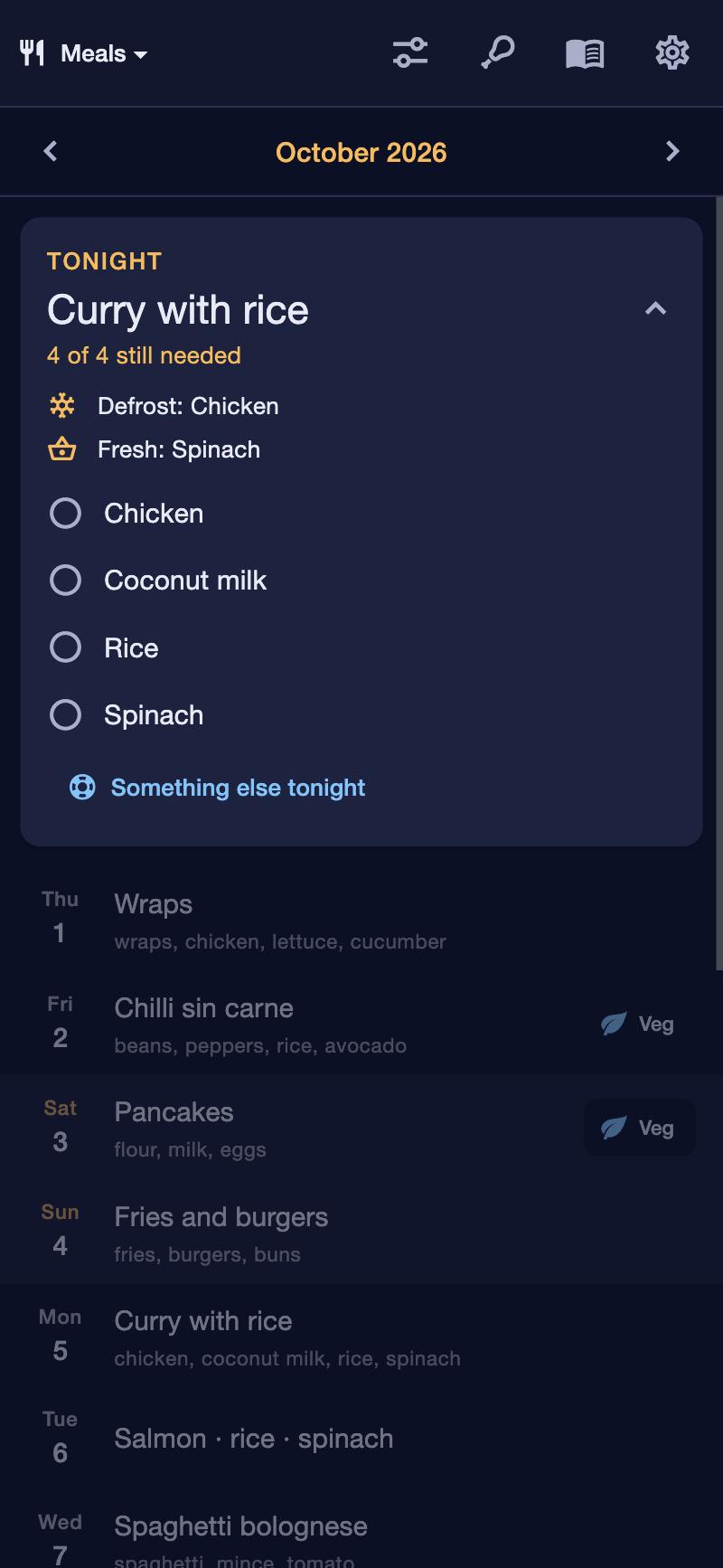
The whole month in one view. Tonight in one tap.
See every dinner of the month, today highlighted. Tonight's dinner is on the Today screen and in the morning check-in, so you never have to go looking.
- Swap a day, pick another dish by hand, or re-roll it.
- Lock the days you like, then re-roll the rest.
- Movie night on the last Saturday of the month, if you want it.
- Planning runs ahead: a reminder when the plan is about to run out.
It plans itself
Your rules, your dishes. The app does the puzzle.
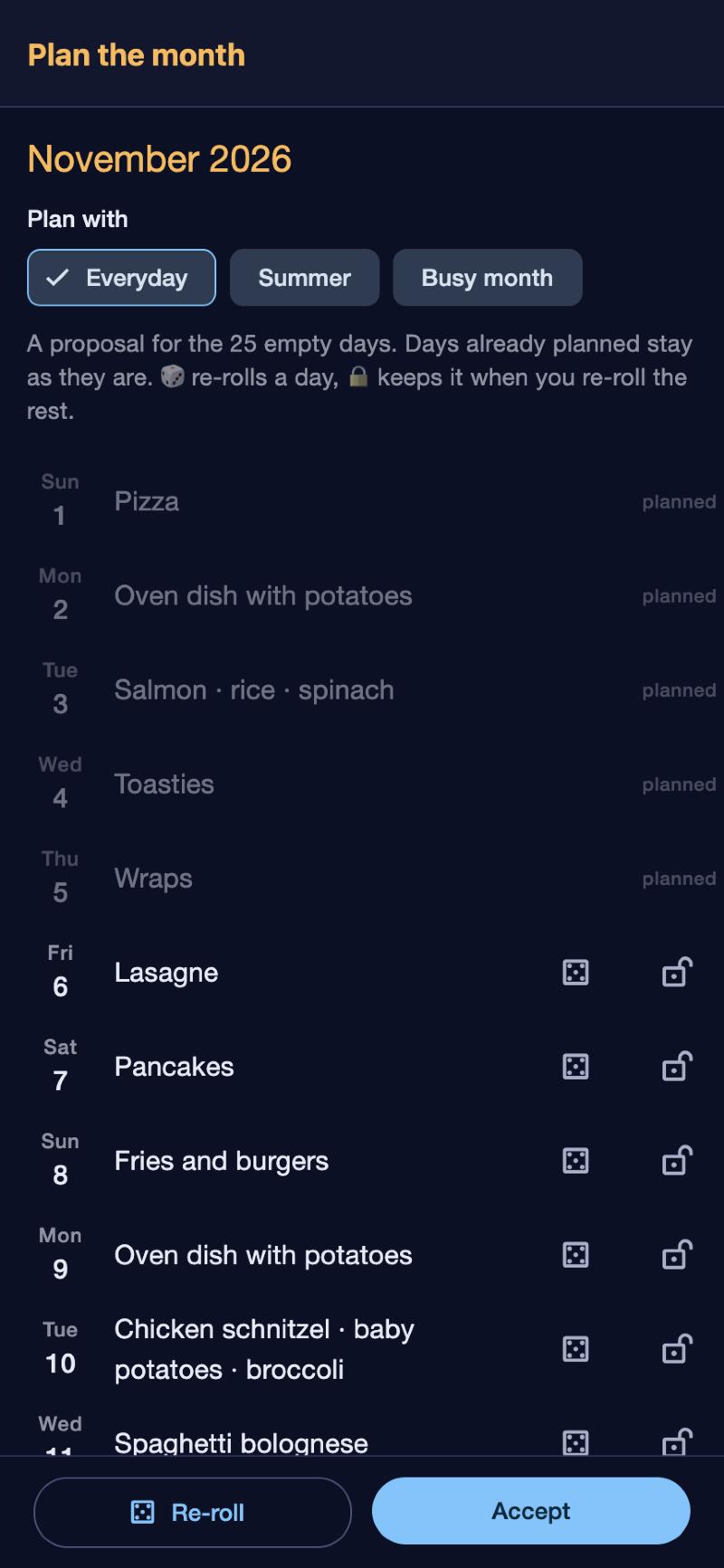
Tell it how your week goes and it fills the empty days. It learns from what you've eaten: dishes you have often come up more often, and nothing repeats too soon.
- A kind of dinner per weekday: anything on Monday, pasta & bread on Wednesday, something light on Thursday, pancakes on Saturday, a cheat meal on Sunday.
- The same dish at most once in, say, ten days.
- At most one new or once-tried dish a week.
- Something with a certain ingredient every week: “cauliflower, once”.
- A “never” list: words that keep a dish off the plan.
- Oven dishes: at least one and at most two a week, for example.
Planning templates
A summer month isn't a winter month.
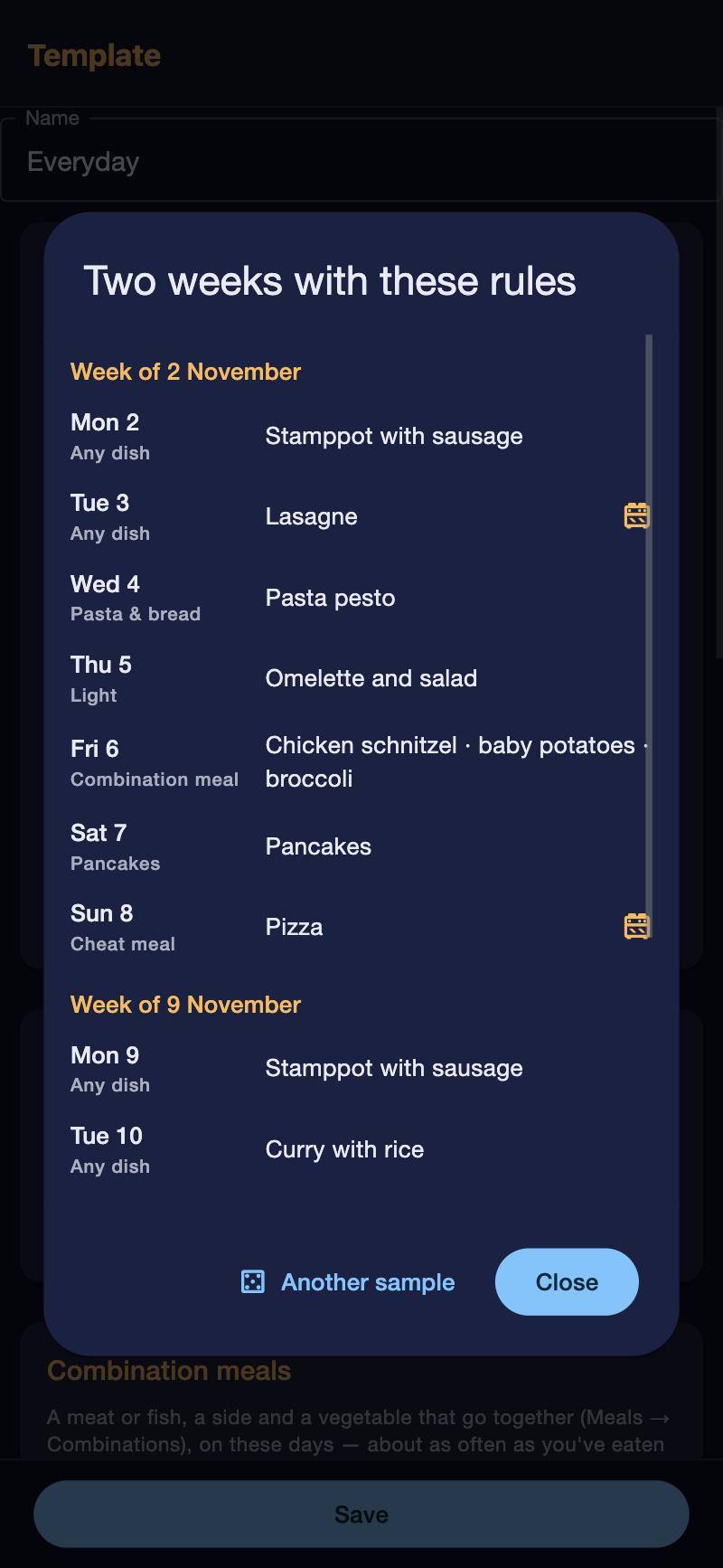
Keep sets of rules as templates and pick one every time you plan a month. Start from an example, change what you like, and preview two weeks of what it would make before you use it.
- Examples to start from: Everyday, Summer, Winter, Busy month.
- Copy, rename and change your own.
- Each month remembers which template it was planned with.
- The preview shows every day, what it asks for, and which dishes need the oven.
Combination meals
Meat or fish, a side, a vegetable. Endless dinners from a short list.
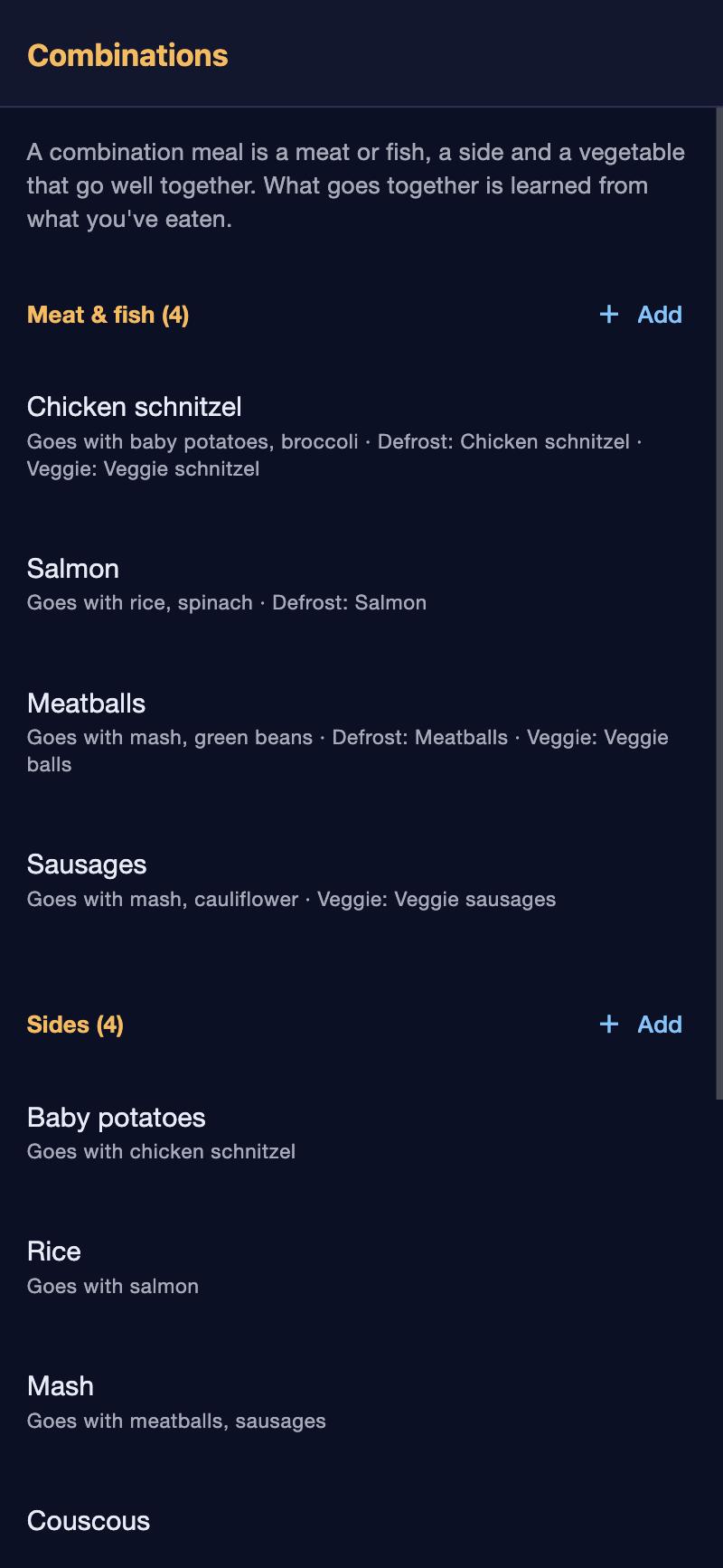
Many weeknight dinners are just three parts. Keep the parts once, and the planner puts them together, learning which ones your family eats together. The vegetable that goes with salmon goes with salmon.
- Parts with their own facts: what to defrost for the meat, what to buy fresh for the vegetable, a vegetarian swap.
- “Goes with”: pairs you add by hand count as well as the ones it learned.
- Hide a part you're done with by swiping it away, with Undo.
In time
A heads-up when it's still useful.
Every dish knows what it needs: does it go in the oven, does something need to come out of the freezer, does anything need soaking or marinating, what to buy fresh. You get each reminder at a fixed, sensible time.
- The evening before: “Take the minced meat out of the freezer for tomorrow's lasagne.”
- In the morning check-in: tonight's dinner, what to buy fresh, what to start early.
- For the vegetarian at the table: the swap, written down once (“veggie mince instead”).
The emergency button
For the evenings that go sideways.
Late home, nothing defrosted, no energy left. Tap the button, say how bad it is, and pick from your own short list. Today's planned dinner moves out of the way.
- Three lists, chosen by you: “I need something quick”, “Very easy”, “Dead tired”.
- Picking one replaces tonight, and the planned dish can come back another day.
Your dishes
Your family's dishes, tidied up for you.
For every dish the app makes a first guess at its facts from its name and ingredients, and at its day from when you used to have it: you say “looks right” or change it. Dishes that are probably the same get suggested for merging.
- “Looks alike”: “Mexican bean stew” and “mexican beanstew” become one, with their history.
- Hide a dish you're done with; it stays in past months.
- A small “review dishes 2/5” on Today, a few at a time, until all are checked.
Don't solve tomorrow today.
Want this at home?
Would this help your household? Tell us. It takes a minute, and it decides whether this gets built for everyone.